The National Programme on Technology Enhanced Learning (NPTEL) conducts certification exams every semester. Thousands of students and professionals across India take these exams to improve their skills. If you appeared for the January–April 2026 exams, your waiting time is over. The authority publishes the NPTEL Result 2026 on its dedicated portals. You can check your scores, download your e-certificate, and review your internal marks.
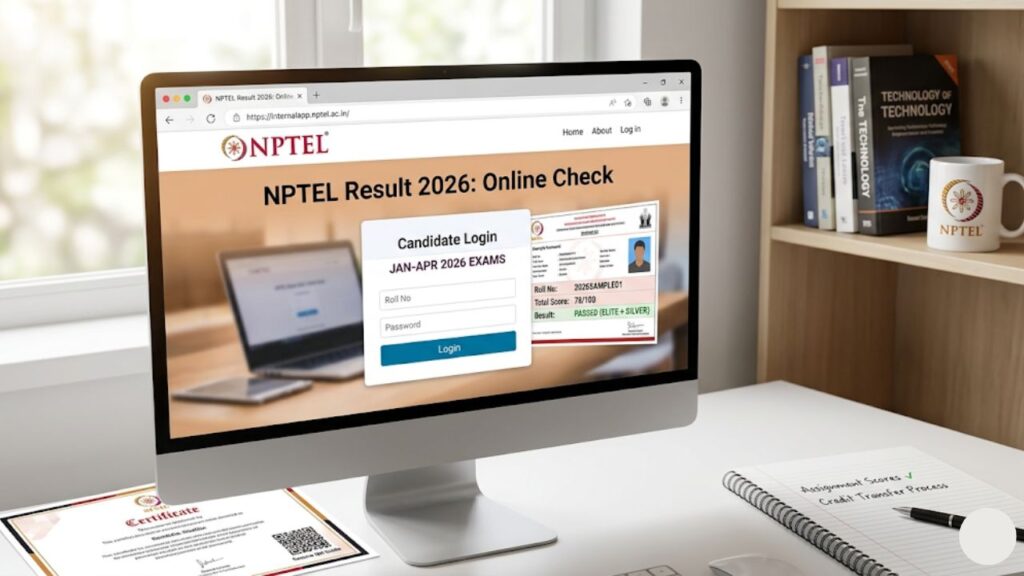
You can access the official link at internalapp.nptel.ac.in to check your detailed scorecard. This comprehensive guide provides step-by-step instructions to find your result quickly. It also covers passing marks, criteria for certificates, and official helpline support.
Key Highlights of NPTEL Result 2026
The table below provides a quick overview of the essential information regarding the NPTEL 2026 examinations and result announcements.
| Exam Conducting Authority | National Programme on Technology Enhanced Learning (NPTEL) |
| Partner Institutions | IITs (Bombay, Delhi, Kanpur, Kharagpur, Madras, Guwahati, Roorkee) and IISc Bangalore |
| Exam Semester | January – April 2026 |
| Course Types | 4-week, 8-week, and 12-week courses |
| Result Status | Available Now (Released in phases) |
| Official Result Portal | internalapp.nptel.ac.in |
| Main Website | nptel.ac.in |
| Credentials Required | Registered Email ID (Google/SWAYAM account) |
| Certificate Type | E-Certificate with secure QR Code Verification |
Important Dates Table
NPTEL releases the results in a phased manner. The platform usually declares scores course by course within a few weeks of the exam date. Review the timeline below to keep track of key events.
| Event Details | Tentative Timeline / Dates |
| NPTEL January-April 2026 Exam Dates (Phase 1) | March 2026 |
| NPTEL January-April 2026 Exam Dates (Phase 2) | April 2026 |
| Commencement of Result Declaration | May 2026 onwards |
| Final Certificate Dispatch (E-version) | Late June 2026 |
| July-December 2026 Semester Registration Begins | June 2026 |
How to Check NPTEL Result 2026 at internalapp.nptel.ac.in
Candidates must follow specific steps to view their exam data. The internal application portal maintains a direct login system for candidates. Use this simple method to check your score online:
Step 1: Visit the Official Portal
Open your internet browser on your computer or mobile phone. Go directly to the official internal portal link: https://internalapp.nptel.ac.in/. Alternatively, you can navigate via the primary education portal at https://nptel.ac.in/ and click the active result banner.
Step 2: Access the Login Window
The homepage displays a login button for candidate access. Click on the “Candidate Login” option. The page will redirect you to the secure authentication page.
Step 3: Enter Your Credentials
Log in using the exact email address that you used during your course enrollment and exam registration. Most students use their linked Google Account or SWAYAM credentials. Enter your password carefully.
Step 4: Open the Exam Result Tab
Once you enter the candidate dashboard, search for the “Exam Results” or “Scorecard” option. Click on the link for the “January–April 2026 Semester.”
Step 5: View and Save Your Scorecard
Your complete marksheet will load on the screen. The document lists your assignment scores, final written exam marks, total score, and final pass status. Click the download icon to save a PDF copy to your device. Print out the file for academic credit transfers or job applications.
Details Mentioned on NPTEL Scorecard 2026
Your downloaded scorecard holds vital performance records. Check the following details thoroughly to verify their accuracy:
- Candidate Name: Your full legal name as registered in the NPTEL database.
- Roll Number: The unique identity number assigned for the 2026 exam cycle.
- Course Name: The exact title of the certification course you completed.
- Assignment Score: The average marks calculated from your weekly online submissions (scaled out of 25).
- Proctored Exam Score: The marks obtained during the physical, center-based written test (scaled out of 75).
- Final Consolidated Score: The sum of your assignment score and exam score (out of 100).
- Elite Tag Status: Indicates if you achieved Elite, Elite + Silver, or Elite + Gold status.
Passing Criteria and Certification Rules
NPTEL follows strict evaluation patterns to award certificates. Scoring high marks requires regular work on weekly assignments and good performance in the proctored test. You will receive a certificate only if you fulfill both of the conditions below:
1. Assignment Score Rule
You must secure a minimum score of 10 out of 25 from the best weekly assignments. The system selects a set number of your highest scores based on whether your course lasts 4, 8, or 12 weeks.
2. Proctored Exam Score Rule
You must secure a minimum score of 30 out of 75 in the physical, proctored written examination.
Final Formula
$$\text{Final Score} = \text{Average Assignment Score (out of 25)} + \text{Proctored Exam Mark (out of 75)}$$
If your final aggregate calculation equals or exceeds 40 out of 100, and you satisfy the two individual rules above, you pass the course. If you miss either individual target, you will not qualify for a certificate, even if your total score exceeds 40.
NPTEL Certificate Types and Badge System
Passing students receive specific recognition badges on their certificates based on their final performance tiers.
- Elite + Gold Badge: Awarded to candidates who secure a consolidated score of 90% and above.
- Elite + Silver Badge: Awarded to candidates who secure a consolidated score between 75% and 89%.
- Elite Badge: Awarded to candidates who achieve a final score between 60% and 74%.
- Successfully Completed: Awarded to candidates who achieve a final score between 40% and 59%.
Credit Transfer Process for College Students
Many universities allow students to swap regular elective course credits with SWAYAM-NPTEL certificates. To transfer your credits successfully, follow this routine:
- Obtain your verified e-certificate from internalapp.nptel.ac.in.
- Submit a formal application to your college dean or department head.
- Attach your NPTEL scorecard along with the official course syllabus document.
- Your college committee evaluates the matching course duration (e.g., a 12-week course generally translates to 3 college credits).
- The university administration updates your official semester marksheet with the transferred credits.
What to Do in Case of Discrepancies?
Sometimes, technical errors or calculation mistakes can occur on scorecards. If you spot wrong spellings in your name, an incorrect photo, or missing marks, take action immediately:
- Do Not Wait: NPTEL opens a limited grievance window after declaring results. Check your dashboard for the “Grievance/Revaluation” form link.
- Provide Evidence: Upload your original assignment grades or exam hall ticket screenshots to support your claim.
- Keep Tracking: Check your email inbox regularly for update responses from the verification committee.
Helpline Number Table
If you encounter login errors, payment verification problems, or certificate issues, use these official communication lines to get assistance from the support cell.
| Support Category | Contact Information / Channels |
| Central Support Email | support@nptel.iitm.ac.in |
| Grievance Portal Helpdesk | Available inside candidate dashboard at internalapp.nptel.ac.in |
| Local Chapter Contact | Speak directly with your college SPOC (Single Point of Contact) |
| Working Hours | 9:30 AM to 5:30 PM (Monday to Friday) |
Official References Table
Always rely on official sources to avoid phishing links and fake result scorecards. Use the trusted web domains below for all authentication tasks.
| Resource Name | Direct Official Web Address |
| Primary NPTEL Informational Website | https://nptel.ac.in/ |
| Internal App Login and Result Portal | https://internalapp.nptel.ac.in/ |
| SWAYAM Central Platform Link | https://swayam.gov.in/ |